
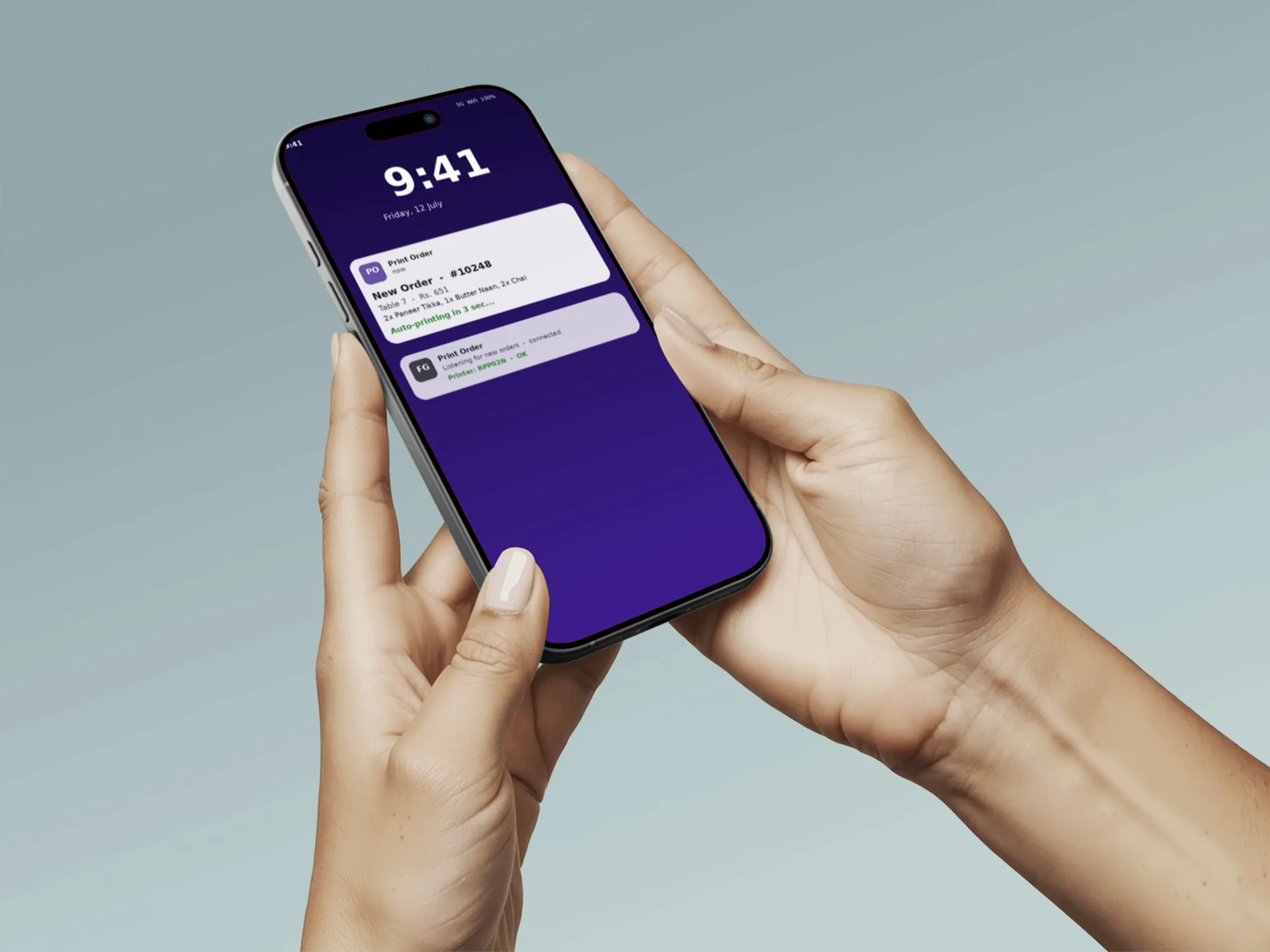
Overview
Print Order is an Android application developed by TechYard Systems to automate restaurant order management. It connects an AI voice ordering system directly to the kitchen, turning customer phone calls into accurate, printed kitchen tickets within seconds. No staff member is needed to manually take or enter orders.
The app also provides a live order dashboard, call history, and the ability to reprint previous orders, helping restaurant staff manage operations more efficiently. It can be easily customized and deployed for individual restaurant locations.
Category
Restaurants, QSR & Cloud Kitchens
Build Type
Native Android App
Platform
Kotlin + Jetpack Compose
Integrations
RetellAI & Firebase
RetellAI, The Voice Layer
RetellAI powers the AI phone agent that answers customer calls 24/7. It helps customers place orders, guides them through the menu, confirms their order, and securely sends the order details to our system for processing. This allows restaurants to automate phone orders while ensuring a fast and seamless customer experience.
Answers the line at any hour
Confirms the order out loud
Produces call transcripts for audit
Printing is handled independently for greater flexibility
How an Order Flows
From a spoken sentence to a printed ticket, in one continuous, decoupled pipeline.
Call Placed
The caller places the order in natural conversation with RetellAI.
Order Confirmed
The agent reads back the total and a confirmation number.
Webhook Fires
A structured payload posts to our backend over an authenticated webhook.
Firestore Writes
The order is normalised and persisted to Firebase Firestore.
FCM Pushes
A high priority push wakes the outlet's tablet, screen on or off.
Ticket Prints
A 58mm receipt formats and prints automatically over Bluetooth.
End to End
<2 Seconds
From confirming the order to the printer firing.
Feature Set
Built to Manage Every Step of the Order Process
01.
Live Orders
View all incoming orders in real time and tap any order to see complete details.
02.
Automatic Kitchen Printing
Orders are automatically printed in the kitchen as soon as they are confirmed, with the option to preview or reprint anytime.
03.
Reliable Order Delivery
The app continues to receive and print new orders even when running in the background.
04.
Order History
Access a searchable history of past orders and quickly reprint receipts whenever needed.
05.
Printer Setup
Connect and manage Bluetooth printers with a simple, guided setup process.
06.
App Settings
Easily manage printer settings, automatic printing, and other app preferences from one place.
Under the Hood
What the app covers end to end, and how the whole outlet stays reliable.
App Basics
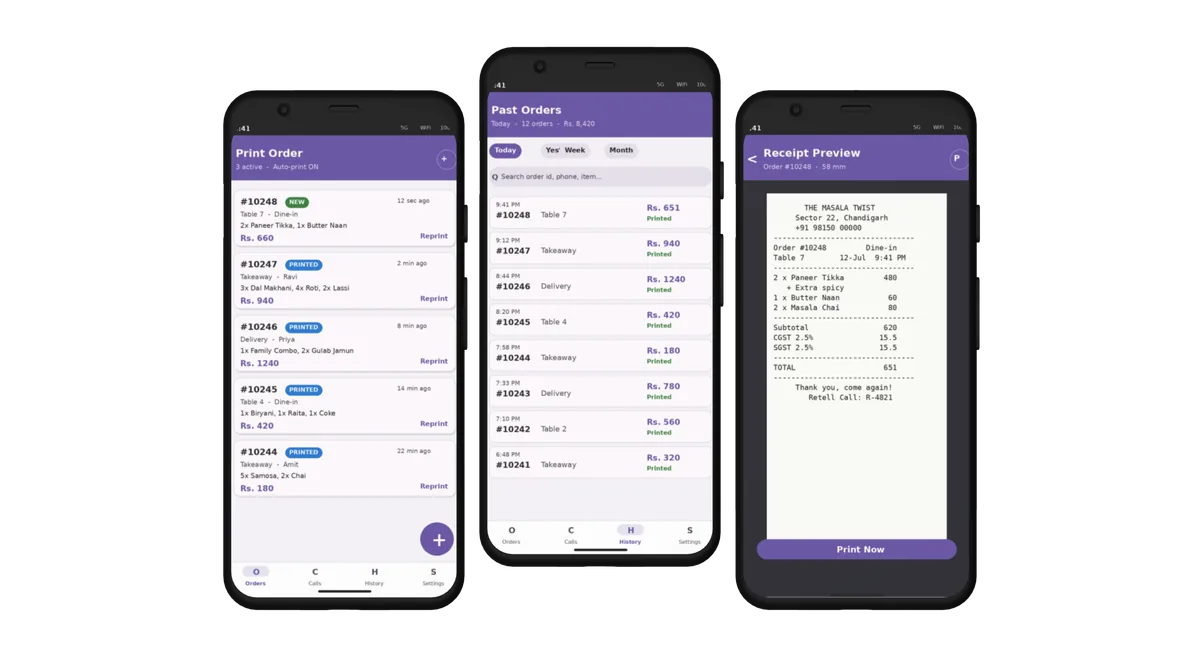
Easy Multi-Location Deployment — each restaurant location has its own dedicated setup, making it easy to manage multiple outlets independently.
Shared Menu Management — the same menu is used by both the AI phone agent and the restaurant app, ensuring consistent and accurate orders.
Call History — view all customer calls, including call duration, order status, and conversation history in one place.
Reliability
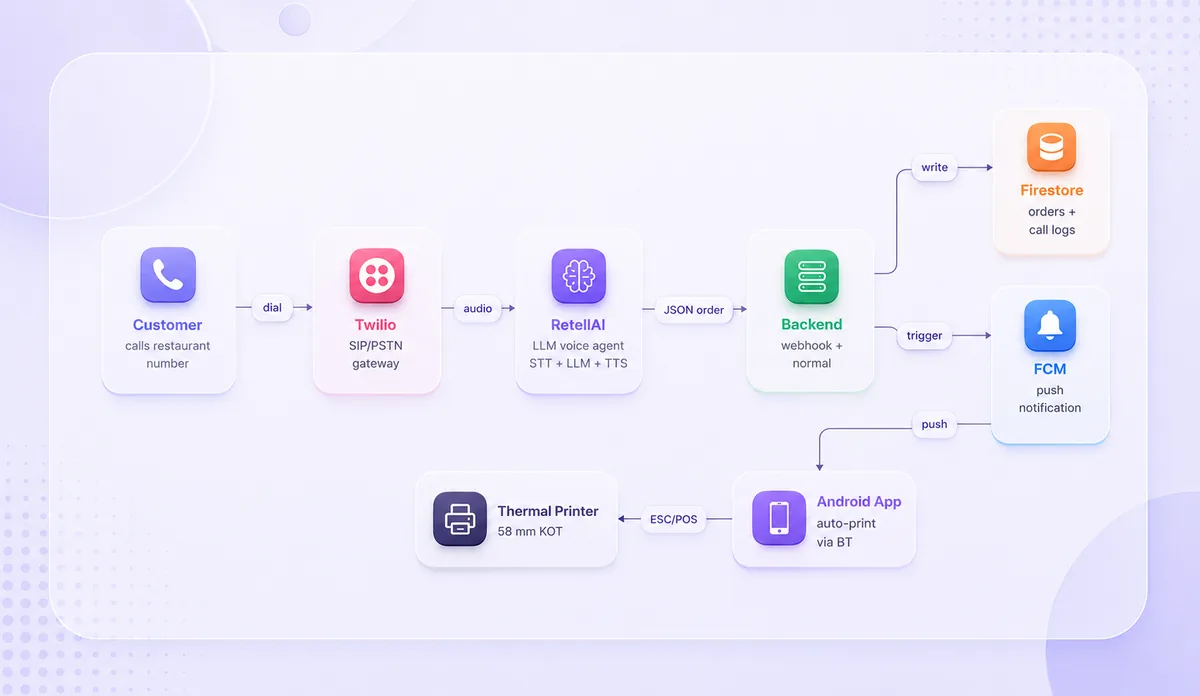
Reliable Performance — the app continues to receive and process new orders even when running in the background or with the screen turned off.
Optimized for Daily Use — designed to run continuously on restaurant tablets with reliable performance throughout the day.
Automatic Device Management — the system automatically reconnects to new devices, ensuring notifications and orders are never missed.
Printer & Ops
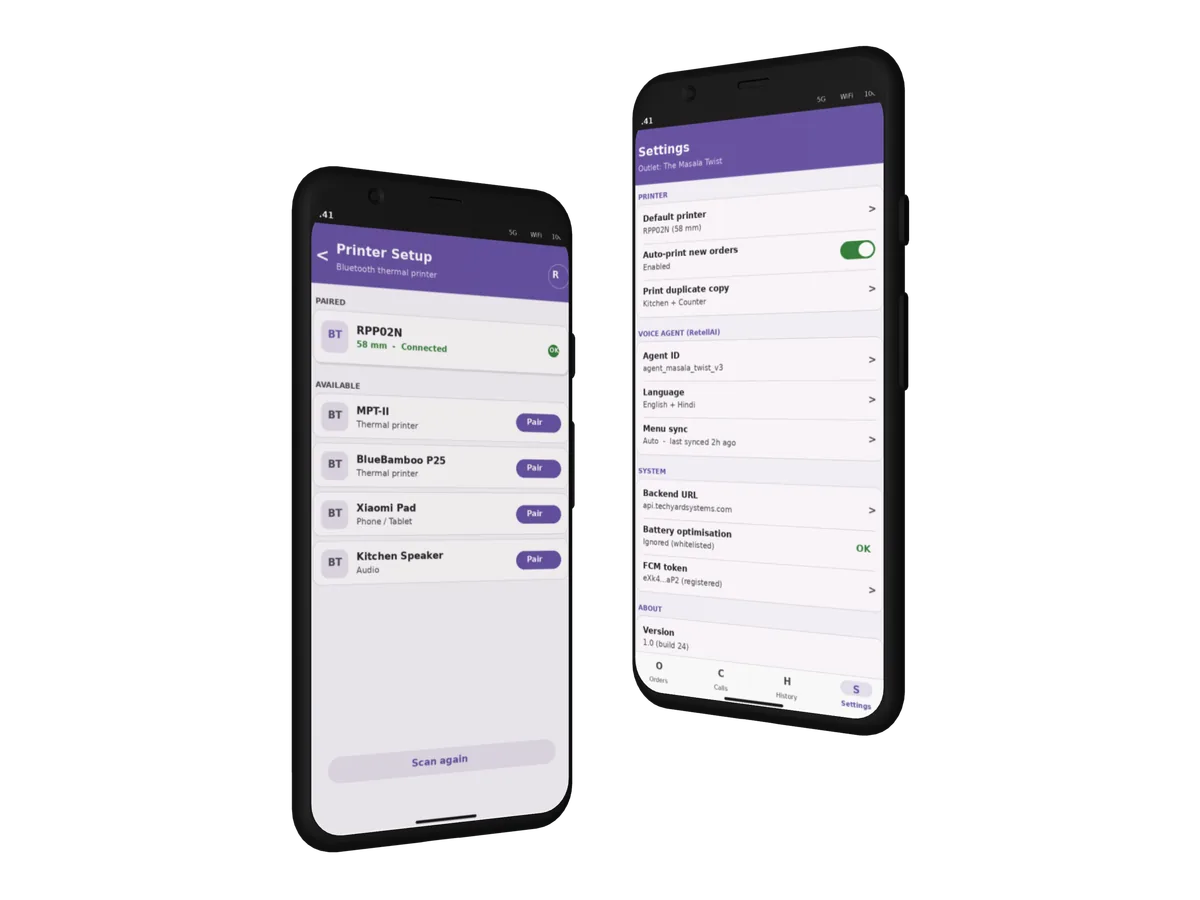
Simple Printer Setup — connect Bluetooth printers quickly with an easy, guided setup process.
Easy Testing — developers and support teams can test order printing without requiring a physical printer.
Self-Service Settings — restaurant owners can manage printer settings, automatic printing, and app preferences without technical assistance.
Technology Stack

Kotlin

Jetpack Compose

Bluetooth SPP + ESC/POS

RetellAI

Firebase Firestore + FCM

Retrofit + OkHttp

DataStore Preferences
Delivery & Impact
Print Order was designed, developed, and launched in just six weeks, and is now actively used to manage real customer orders in a live restaurant environment.
Zero Touch Operation
The printer fires within roughly two seconds of the caller confirming the order, with no one at the counter.
Multi Tenant Ready
Each outlet gets its own Firestore collection, voice agent and APK build flavour, so standing up the next location is fast.
Area
Outcome
Staffing
The owner no longer staffs the phone line during peak hours
Audit Trail
Every call is transcribed and every printed ticket is retrievable in Firestore
Reliability
When a tablet is replaced, the system automatically reconnects it without any manual setup.
Scalability
Multi tenant by design, ready for the next outlet without a rebuild

Also Powering Karma Indian Cuisine
Karma Indian Cuisine now runs on the same Print Order platform, connected through its own tenant, voice agent, and printer setup, proving the system scales cleanly to a new restaurant without a rebuild.
Ready to Automate
Your Business Workflows?
Book a 15 minute discovery call. We'll evaluate your operations and recommend a tailored AI solution with a step-by-step implementation plan.
Talk to UsOr email us at contactus@techyardsystems.com